
Why Codex cleanup tasks on Windows reportedly deleted files outside projects
 Codex7 min readBusiness + Personal
Windows users reported that Codex cleanup tasks reached beyond selected projects and permanently deleted unrelated files while running with broad access.
This is a cluster rather than one fully reconstructed event. That makes it useful for pattern recognition but weaker for exact causality. The repeating structure is a benign maintenance goal, broad filesystem authority, and a target that escaped the project boundary.
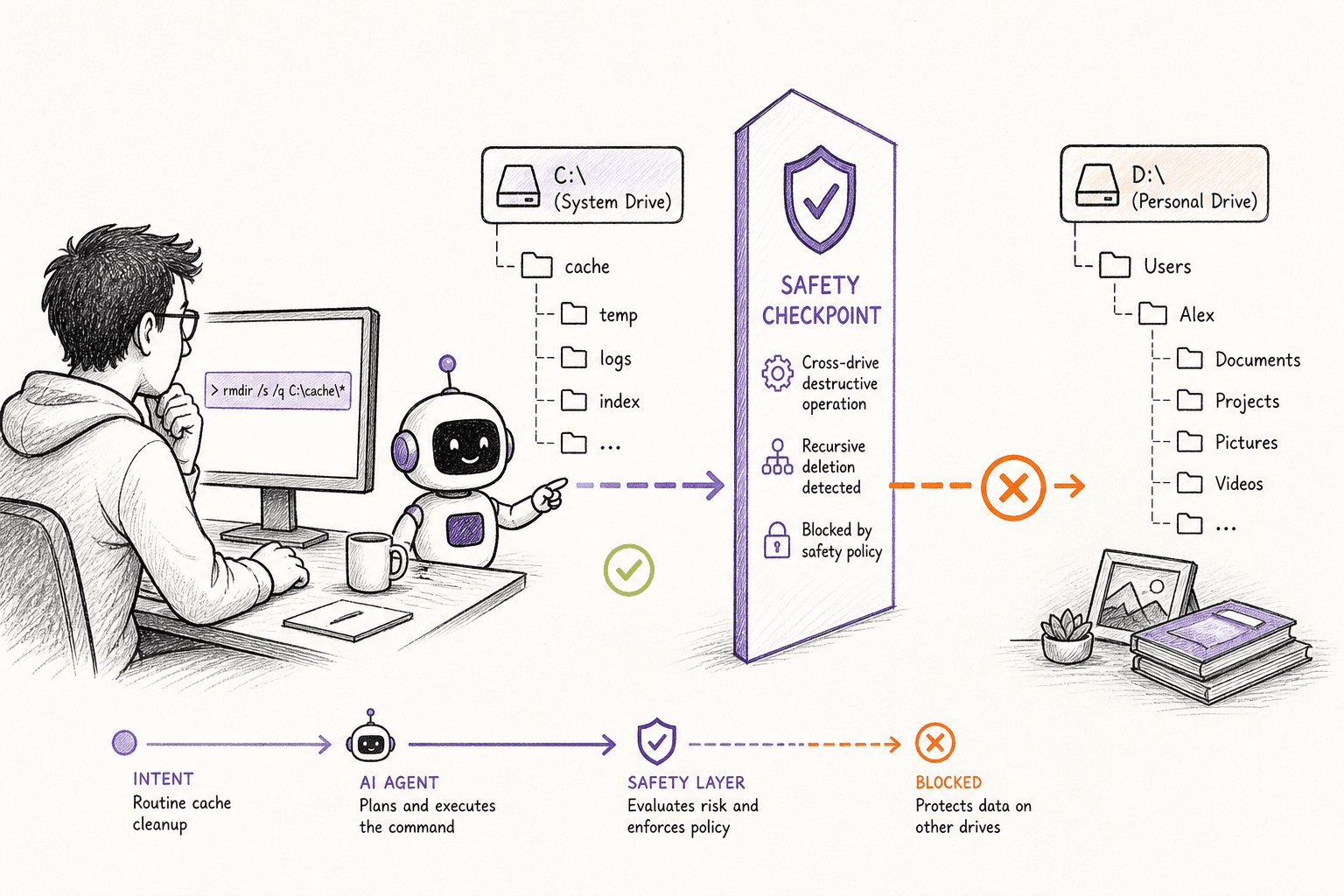
How the incident unfolded
The public account dates the incident to March 9, 2026. The report centers on multiple OpenAI community reporters, using Codex App and VS Code on Windows.
Users opened projects in Codex or VS Code on Windows with broad filesystem access. They requested cleanup, repository hygiene, or removal of development artifacts.
The agent selected targets beyond the intended project. Permanent deletion bypassed ordinary desktop recovery expectations.
Several users converged on the absence of an enforceable workspace boundary. Reporters described mass deletion and large data loss. The public thread contains multiple environments and prompts, so this article does not combine their numbers into one victim or claim one shared software defect.
What actually caused the damage
The agent did not need a special way into the computer. It used the same terminal access the person had already granted. Once a command was allowed to run with that access, folders outside the visible project were reachable too.
Opening one project in an agent does not automatically fence the agent inside that folder. A real boundary has to be enforced before a command runs, especially when the command can remove many files at once.
A project picker is a user-interface scope unless the execution layer enforces it.
Cleanup language is underspecified; an agent may include sibling worktrees, archives, downloads, user data, or tool directories.
Aggregated reports should inform a threat model without pretending every event shares one root cause.
A more accurate Codex App and VS Code on Windows model might make fewer mistakes. It still cannot replace limits on what the software is allowed to do.
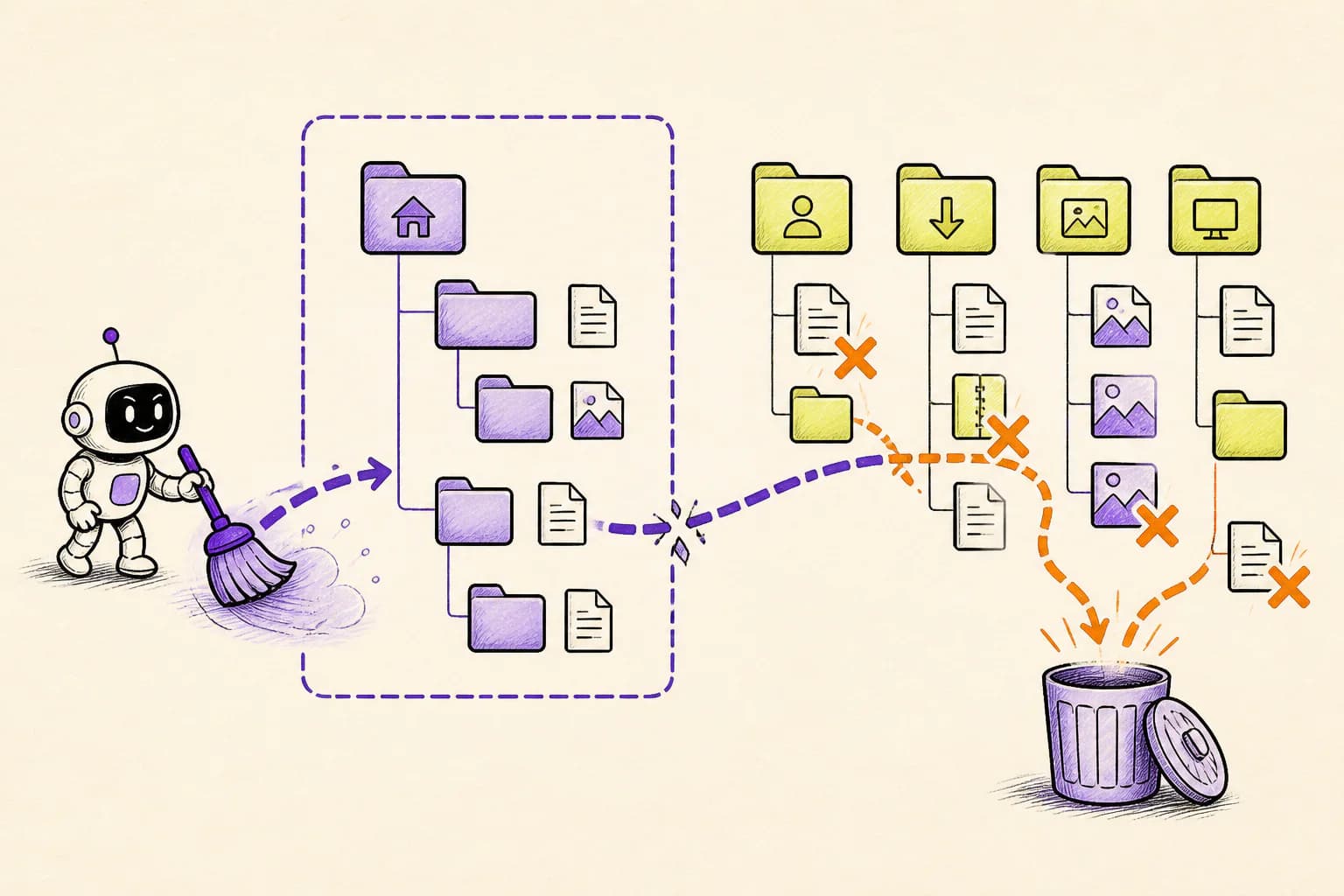
How OpenLeash could have changed the outcome
With a supported Codex App and VS Code on Windows integration, OpenLeash checks the proposed action before it runs. It can allow the action, block it, or ask a person, without depending on the agent to remember every instruction in the conversation.
Destructive Protection can recognize a broad or recursive deletion, while Rules Protection can protect personal folders and anything outside the active project.
OpenLeash evaluates Codex tool use before execution. A project-scoped rule can ask or block when destructive paths fall outside the enrolled root.
Destructive Protection holds recursive and broad deletion, preventing Full Access from silently becoming permanent authority over unrelated folders.
For each event, OpenLeash records the exact agent, project, command evidence, and decision rather than merging several reports into a vague “AI went rogue” story.
For multiple OpenAI community reporters, that would mean ordinary work could continue while the exact dangerous step received its own decision. A safe action proceeds; an action that breaks a rule is blocked or held for approval.
OpenLeash would not need to predict every choice made by Codex App and VS Code on Windows. It would only need to stop the dangerous action before it became real.
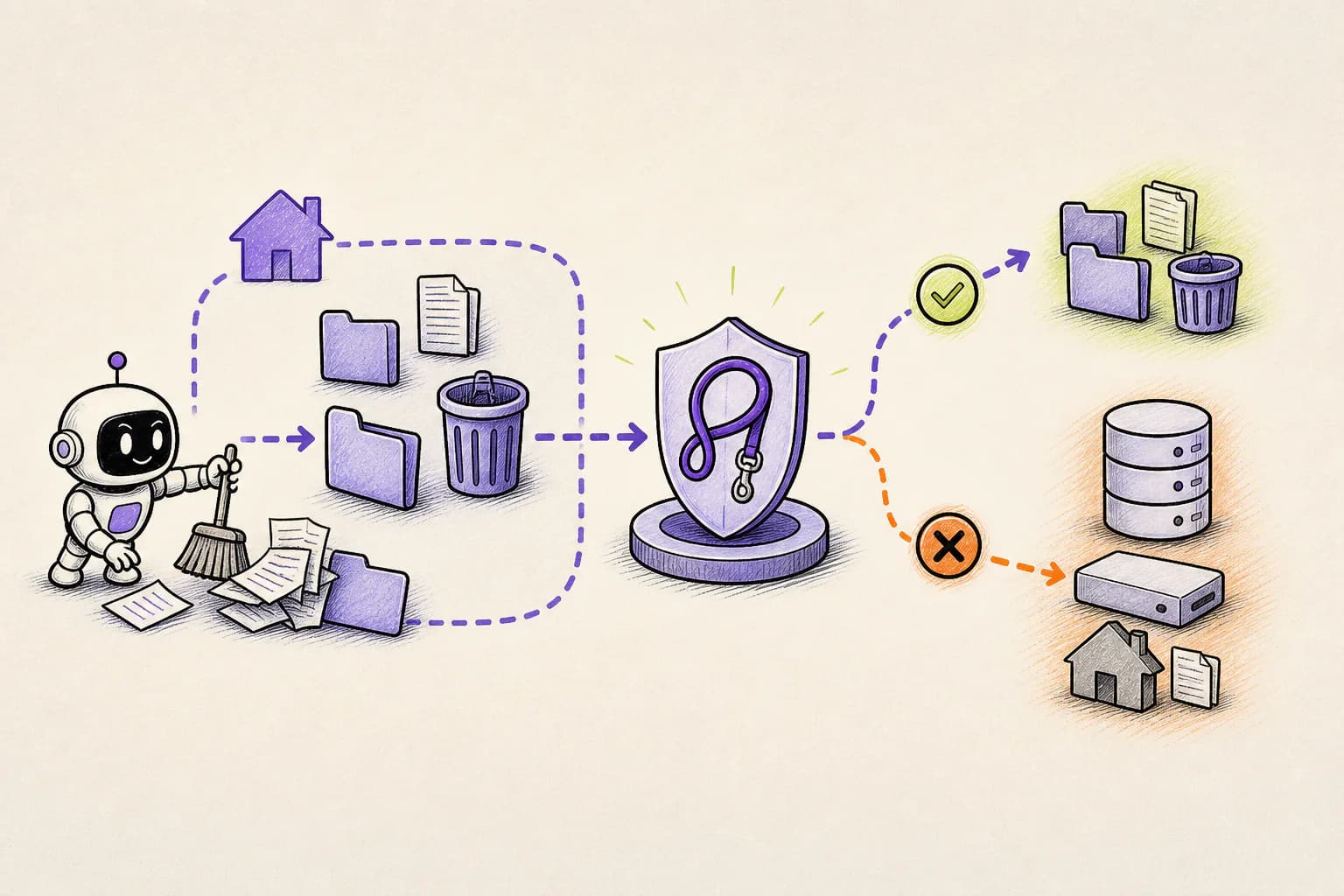
What this means for a new agent user or indie developer
For a newcomer or indie developer, the practical lesson is simple: an open project is not a sandbox. If an agent can use your terminal, assume it can reach every file your account can reach until a real rule proves otherwise.
A sensible starting policy for this case is: Treat project scope as an enforced path policy. Block cleanup of siblings, parents, home roots, and other drives.
OpenLeash Personal Open Source can protect a Codex App and VS Code on Windows workflow locally with your own model-provider key. A free single-member Business organization provides the managed Cloud path. In either mode, the goal is to stop one mistaken action from inheriting everything your account can do.
What a CIO, CTO, or CISO should take from this
For a CIO, CTO, or CISO, agent terminal access should be treated like automation running under an employee's identity. Project boundaries, protected user folders, recoverable deletion, and evidence of every high-impact decision matter more than which model produced the command.
For organizations using Codex App and VS Code on Windows, Business OpenLeash Cloud adds an independent action-time safety layer. It belongs beside identity controls, narrow permissions, protected production systems, and tested recovery. It does not replace them.
For this incident, the operational priorities are clear: Separate agent runtime storage from user projects and archives. Report incidents with exact versions, commands, paths, and evidence.
What to change before the next agent session
For this file-loss case, start with the consequences that would be hardest to reverse. Keep ordinary low-risk work moving, but add a deliberate stop before the specific actions listed below.
- Treat project scope as an enforced path policy.
- Block cleanup of siblings, parents, home roots, and other drives.
- Separate agent runtime storage from user projects and archives.
- Report incidents with exact versions, commands, paths, and evidence.
What is confirmed and what is not
This account follows OpenAI community: Windows out-of-project data-loss reports and the additional sources linked below. Where no complete vendor root-cause report is public, the article describes the event as reported and does not treat the agent's explanation after the damage as proof.
The community thread does not publish one actual command for all reports. Prevention depends on supported before-the-tool-runs events and project-boundary rules; actions caused by Codex runtime or sandbox internals rather than an agent tool call fall outside this claim.
The OpenLeash claim for Codex App and VS Code on Windows has a clear boundary: the action must pass through a supported before-action integration. If the vendor changes something internally without exposing that moment, OpenLeash can provide visibility only after the fact.
The bottom line
The lasting lesson is not that agents should never clean files. It is that a cleanup request should never silently become permission to erase unrelated parts of a computer.
The point is to keep Codex App and VS Code on Windows useful for routine work without gambling the wider laptop, repository, inbox, or production environment. That is the practical role OpenLeash is designed to play in this story.