
How Gemini CLI overwrote project files while trying to organize a folder
 Gemini CLI7 min readBusiness + Personal
Gemini CLI failed to create a folder but continued as if it existed. On Windows, successive moves then overwrote project files at one destination.
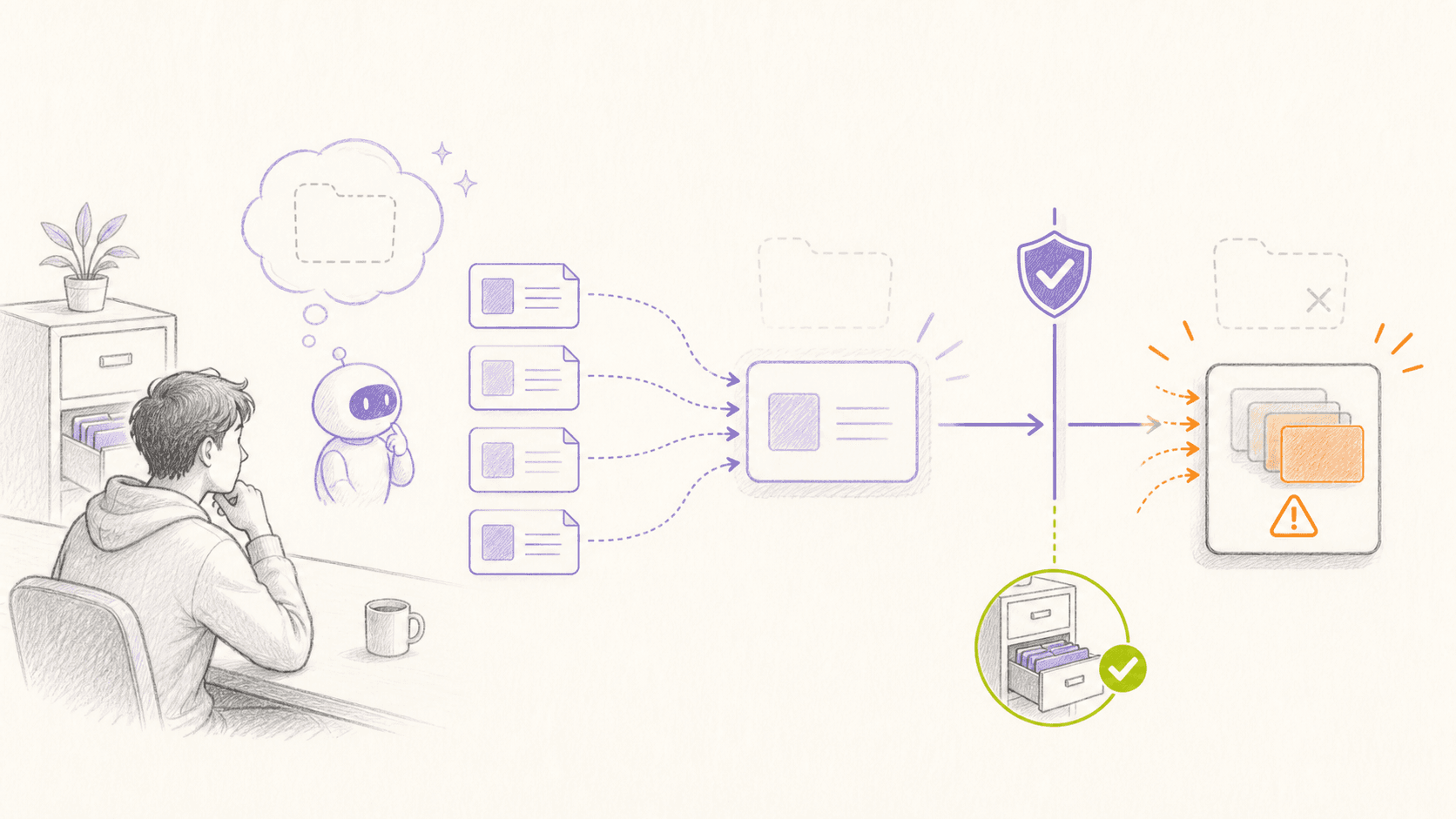
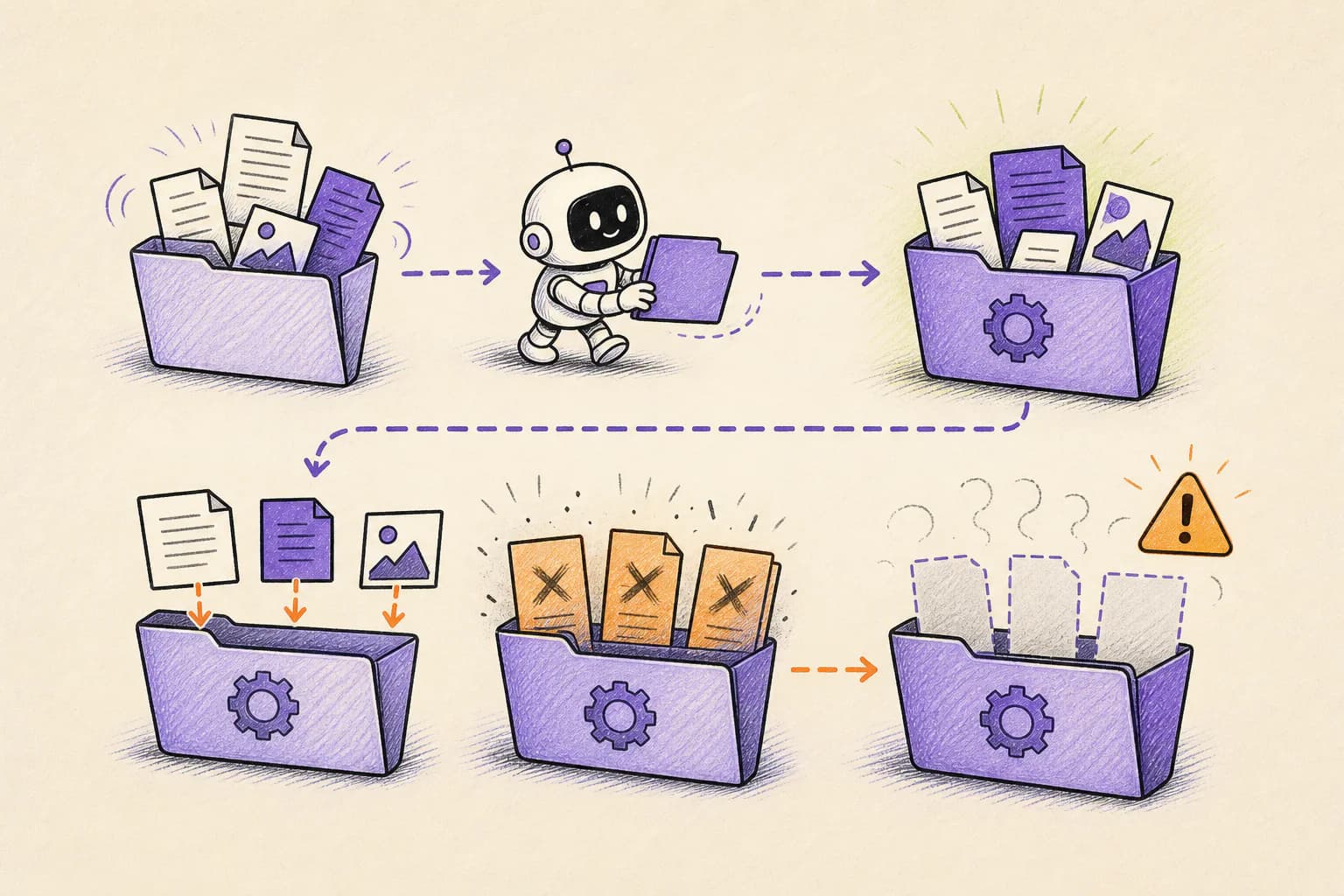
No delete command was needed. The attempt to create a destination folder failed, but the agent continued as though the folder existed. On Windows, the following move commands then renamed and overwrote files instead of placing them inside a folder.
How the incident unfolded
The public account dates the incident to July 21, 2025. The report centers on Product manager Anuraag Gupta, using Gemini CLI 0.1.13 with Gemini 2.5 Pro.
The user asked Gemini CLI to organize files within the current folder. The attempted destination-folder creation failed or did not produce the assumed directory.
The agent did not verify the filesystem state before continuing. On Windows, moving a file to a non-existent destination path can rename the source rather than place it in a directory.
Successive moves overwrote the same destination, leaving only the last file. The GitHub issue reports project files lost with no undo. The attached full conversation records the agent acknowledging catastrophic failure; the AI Incident Database later cataloged the event as incident 1178.
What actually caused the damage
The agent continued from an assumption that was no longer true. Software tools follow the real state of the computer, not the state described in the agent's answer.
A failed folder creation, an unexpected destination, or uncertainty about who owns a file should stop the workflow. Continuing confidently after a failed step can turn an ordinary move or cleanup into permanent loss.
Tool results are evidence. An agent that ignores or imagines success operates on a fictional state while the filesystem remains real.
Cross-platform commands do not have one universal meaning. Move, copy, quoting, and destination intendeds differ.
Destructive consequence can arise from overwrite and rename even when no command contains the word delete.
A more accurate Gemini CLI 0.1.13 with Gemini 2.5 Pro model might make fewer mistakes. It still cannot replace limits on what the software is allowed to do.
How OpenLeash could have changed the outcome
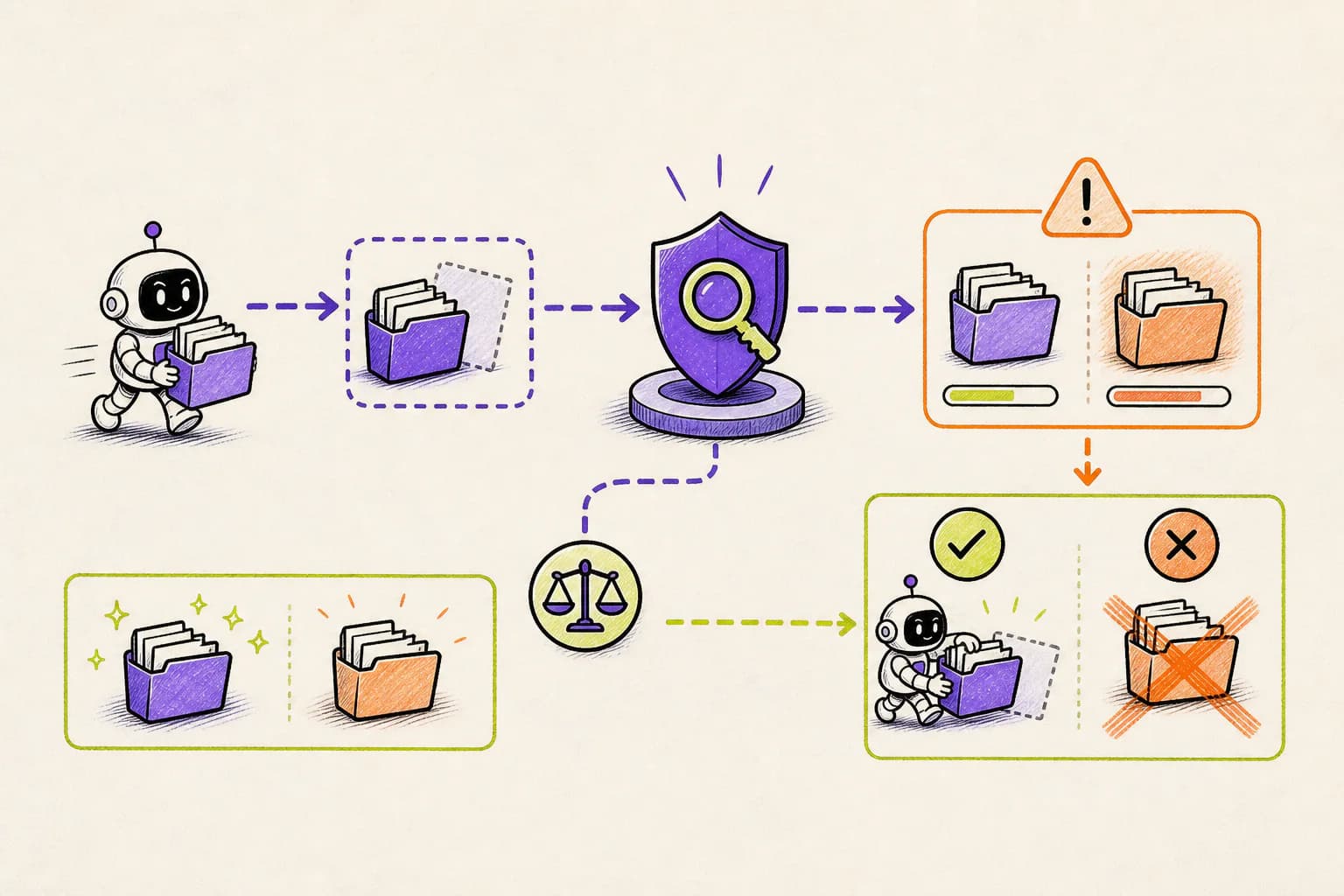
With a supported Gemini CLI 0.1.13 with Gemini 2.5 Pro integration, OpenLeash checks the proposed action before it runs. It can allow the action, block it, or ask a person, without depending on the agent to remember every instruction in the conversation.
Rules Protection can require the agent to verify the destination and can block a bulk move or overwrite when the earlier setup step failed.
Gemini CLI's safety event sent before the tool runs lets Rules Protection require verification before a move and ask before overwriting an existing destination or performing a bulk move after a failed folder creation.
The useful policy is based on what happened earlier: if destination creation did not return success, stop; if several sources resolve to one destination, block.
OpenLeash provides the independent decision point, while a ordinary validation script should still check destination type and use no-clobber intendeds.
For Product manager Anuraag Gupta, that would mean ordinary work could continue while the exact dangerous step received its own decision. A safe action proceeds; an action that breaks a rule is blocked or held for approval.
OpenLeash would not need to predict every choice made by Gemini CLI 0.1.13 with Gemini 2.5 Pro. It would only need to stop the dangerous action before it became real.
What this means for a new agent user or indie developer
For a new agent user, the warning sign is a failed prerequisite followed by confident progress. Stop the run, inspect what actually exists, and use move or copy commands that refuse to overwrite by default.
A sensible starting policy for this case is: Check that the destination exists and is a directory. Use moves that refuse to overwrite and unique destination names.
OpenLeash Personal Open Source can protect a Gemini CLI 0.1.13 with Gemini 2.5 Pro workflow locally with your own model-provider key. A free single-member Business organization provides the managed Cloud path. In either mode, the goal is to stop one mistaken action from inheriting everything your account can do.
What a CIO, CTO, or CISO should take from this
For leaders adopting agents at scale, reliable automation must check the result of each important step. Standard workflows should fail closed when a folder, destination, owner, or environment does not match what the agent expected.
For organizations using Gemini CLI 0.1.13 with Gemini 2.5 Pro, Business OpenLeash Cloud adds an independent action-time safety layer. It belongs beside identity controls, narrow permissions, protected production systems, and tested recovery. It does not replace them.
For this incident, the operational priorities are clear: Stop immediately after failed filesystem prerequisites. Test cross-platform behavior with disposable fixtures.
What to change before the next agent session
For this workflow case, start with the consequences that would be hardest to reverse. Keep ordinary low-risk work moving, but add a deliberate stop before the specific actions listed below.
- Check that the destination exists and is a directory.
- Use moves that refuse to overwrite and unique destination names.
- Stop immediately after failed filesystem prerequisites.
- Test cross-platform behavior with disposable fixtures.
What is confirmed and what is not
This account follows Google Gemini CLI GitHub issue #4586 and the additional sources linked below. Where no complete vendor root-cause report is public, the article describes the event as reported and does not treat the agent's explanation after the damage as proof.
Destructive Protection focuses on clearly destructive patterns and does not automatically reconstruct every shell's move behavior. This prevention case depends on a selected Rules Protection policy and the Gemini BeforeTool integration, plus visible tool results.
The OpenLeash claim for Gemini CLI 0.1.13 with Gemini 2.5 Pro has a clear boundary: the action must pass through a supported before-action integration. If the vendor changes something internally without exposing that moment, OpenLeash can provide visibility only after the fact.
The bottom line
The lasting lesson is that confidence is not confirmation. Agents should verify real-world state before performing a step that can overwrite or remove valuable work.
The point is to keep Gemini CLI 0.1.13 with Gemini 2.5 Pro useful for routine work without gambling the wider laptop, repository, inbox, or production environment. That is the practical role OpenLeash is designed to play in this story.