
MCP security: every connected tool expands what an agent can damage
Model Context Protocol makes agents useful by connecting tools and data. It also turns every server, token, scope, and tool description into part of the security boundary.
MCP is not dangerous by definition. The danger comes from connecting probabilistic planning to powerful tools without treating authorization, content, and action semantics as separate controls.
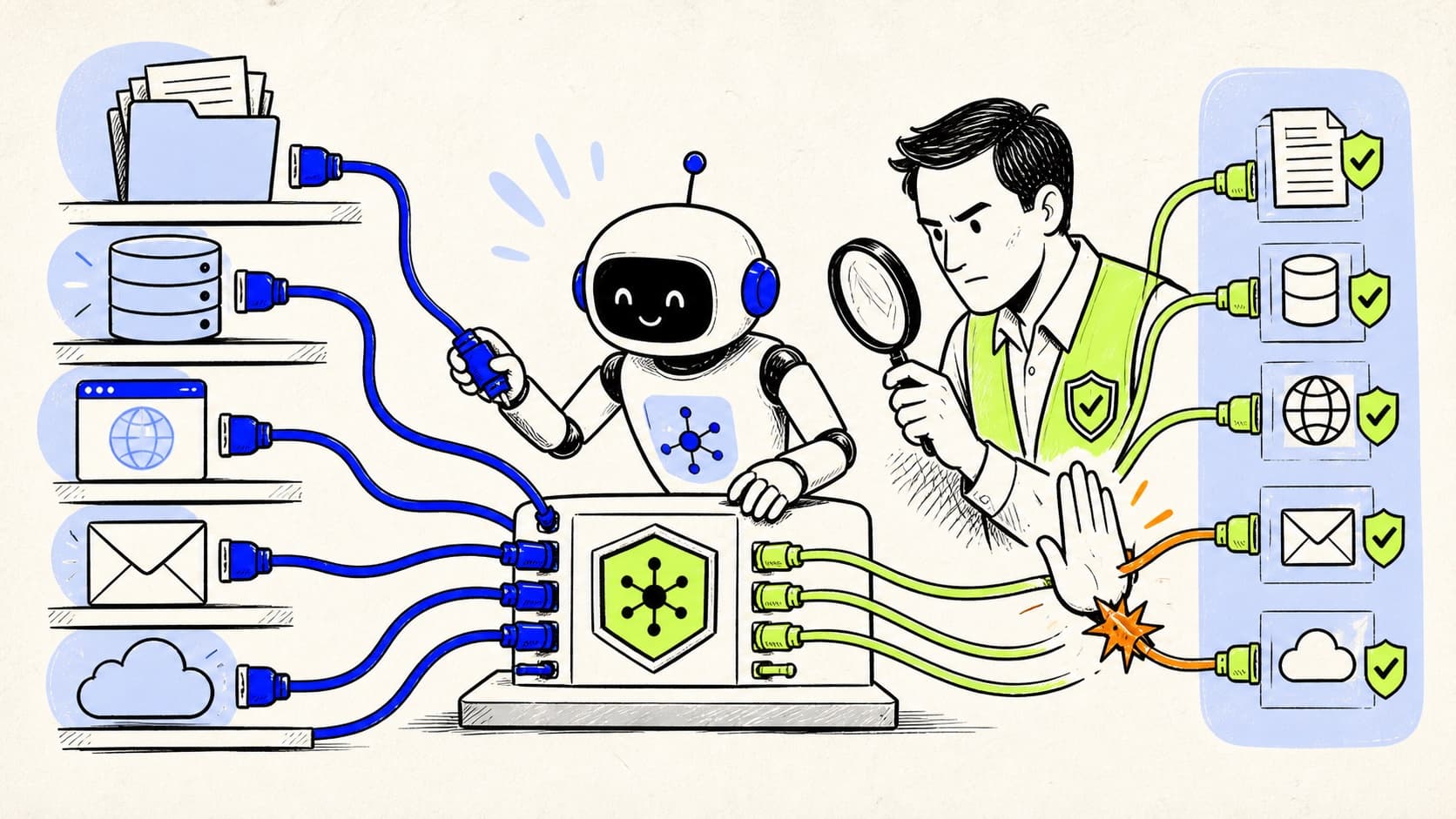
MCP changes the economics of capability
MCP makes it easier to connect an agent to files, browsers, databases, developer tools, SaaS APIs, and internal services. That standardization is useful because teams can reuse integrations instead of building every tool path from scratch. It also makes capability cheap to add. A developer can move from a narrow coding assistant to an agent with email, cloud, and database access in minutes.
Security review often lags behind that change. Teams evaluate the model and the MCP server package but do not map the authority created when the two are combined. A read-only file server and a production deployment server should not look like equivalent entries in a configuration file.
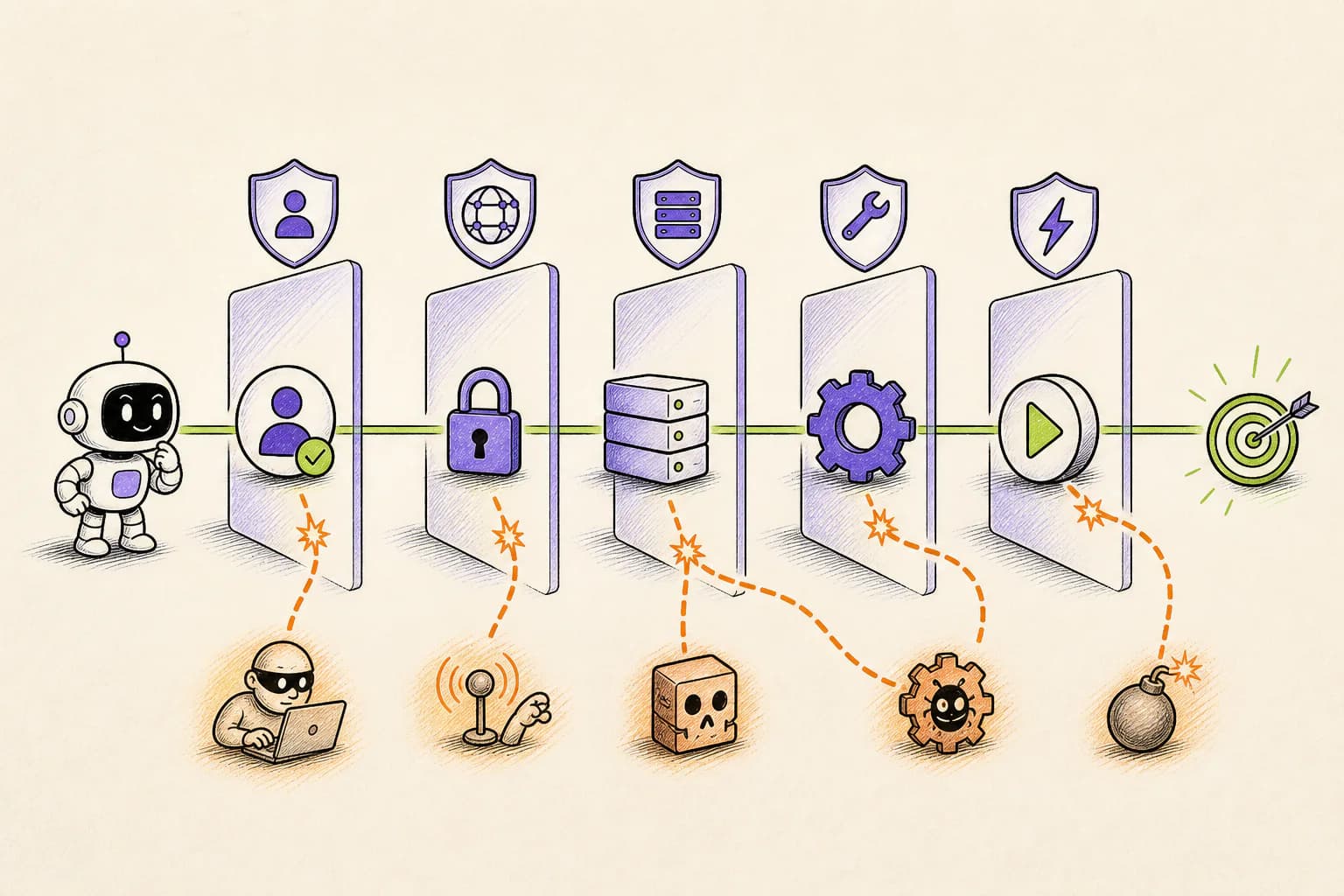
Threat-model five separate layers
MCP security is not one problem. The client decides which servers to launch or connect. The server exposes tools and resources. Authorization controls tokens and scopes. Tool output becomes content inside the model's context. The eventual tool call creates a real side effect. A control at one layer cannot automatically secure the others.
The official MCP guidance describes confused deputy risks, token handling requirements, session security, scope minimization, and the danger of local servers running with client privileges. Those are implementation fundamentals. An organization still needs action policy for valid, authenticated requests that are dangerous in context.
- Client trust: who selected the server and how its configuration is protected
- Server trust: who operates it, how it updates, and what local code it executes
- Authorization: token audience, scope, lifetime, consent, and storage
- Content trust: whether resources or tool output can carry hidden instructions
- Action trust: whether a valid tool call is appropriate for this user, task, and moment
The most common dangerous shortcuts
Catch-all scopes, long-lived tokens, shared credentials, token passthrough, permissive local processes, and broad filesystem access are obvious concerns. Less obvious is the habit of approving a server because its tool names sound harmless. A tool called sync, update, clean, or publish can perform a wide range of operations depending on arguments.
Tool descriptions are also instructions read by the model. A compromised or poorly designed server can influence planning before any tool executes. Treat server metadata, resources, and returned content as untrusted input. Separate the decision to let the model see content from the decision to let it act on the world.
Build an MCP capability manifest
For every server, record its owner, connection method, update source, tools, data, permissions, local file access, network access, and high-impact operations. Mark whether each tool is read-only, reversible, externally visible, destructive, financial, or identity-related.
Then map policy to semantics. A read query against a test database may be automatic. A write against production may require a human. A send-email tool may be allowed for one recipient but reviewed for a mailing list. A cloud tool may list resources freely while deletes remain blocked.
Authorization and action approval solve different problems
OAuth answers whether a client is authorized to call a resource with certain scopes. It does not know whether the agent misunderstood the task, whether the target is production, whether the data contains customer records, or whether the user expected a dry run. Strong MCP authorization is necessary but not sufficient for agent safety.
An approval should explain the complete proposed action in plain language. The reviewer needs to know which system is affected, the scale of the change, whether it can be undone, where data may go, and why approval is required. Approving a connection once should not silently approve every future consequence.
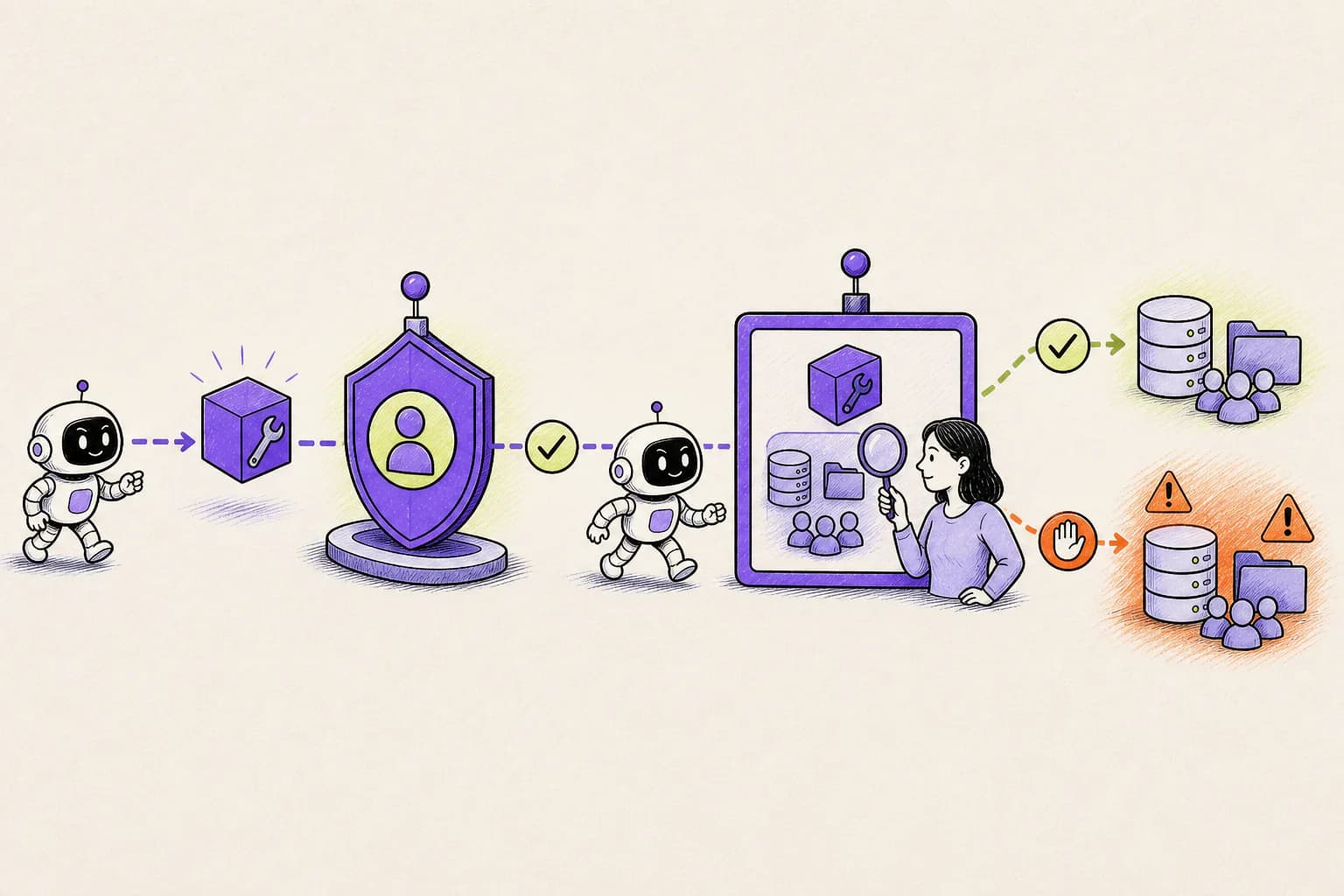
How OpenLeash adds action-aware MCP protection
OpenLeash checks supported MCP activity with the same protections used across other agents. Tool Protection can identify risky servers or tools, while Destructive Protection, Private Data Protection, Prompt Injection Protection, and Rules Protection address specific action risks. OpenLeash is clear about whether it can stop an action or only make it visible.
All protections are built and reviewed by the OpenLeash team. Personal Open Source keeps them on the user's computer. OpenLeash Cloud connects desktop, web, and optional mobile alerts when a managed experience is preferred.
A practical MCP review checklist
Review the smallest useful server set, then test high-consequence calls with safe data. Verify that credentials never appear in logs or prompts, tokens are audience-bound and short-lived, local servers have minimal host access, and network destinations are constrained. Confirm that a blocked or pending action fails closed rather than continuing silently.
Re-run the review whenever a server, tool list, scope, executable, endpoint, or deployment environment changes. MCP makes connections portable, which means security assumptions must travel with them.